CountPill
How to count pills with your phone camera
A phone can count a tray of tablets in a few seconds, if the photo is right. Here is the routine that works, and how to check what it found.
The short version
One layer, straight down, everything in the frame, no flash. Then check the spots the app marks as unsure. Those four habits fix most miscounts before they happen. The rest of this guide explains why, and what to do when the numbers don't agree.
You can follow along with the free pill counter: it runs in your phone's browser and never uploads the photo.
1. Choose the surface
The counter finds pills by their outline against the background. Give it contrast:
- A pharmacy counting tray in green or blue is ideal for white tablets.
- At home, a plain plate works. Pick a dark plate for light pills and a white one for dark capsules.
- Avoid patterned cloths, wood grain and surfaces with crumbs or specks that look like small tablets.
2. Spread to one layer
Most miscounts in our testing come from one cause: pills it can't fully see. A tablet half under another, or a stack seen from above, is one outline where there are two pills.
Push the pills apart with a spatula, a spoon or a card. They can touch, but none should sit on top of another. Leave the counting tray's chute empty; pills in the chute are at an angle and easy to miss.
3. Hold the phone flat above the tray
- Straight down. At an angle, the pills in front hide the edges of the ones behind them.
- High enough to fit everything. A pill cut off by the photo edge is shown as "partly visible" for you to decide, not counted.
- Not too high. The pills should still fill most of the frame. Small tablets far away become a few pixels each.
- Steady. A blurred photo merges neighbouring pills. Brace your elbows on the counter.
4. Get the light right
Turn the flash off. On coated or shiny tablets, the flash makes a white spot that can swallow the pill's outline. Even room light is best; next to a window works well. Watch for your own shadow falling across part of the tray.
5. Check what it found
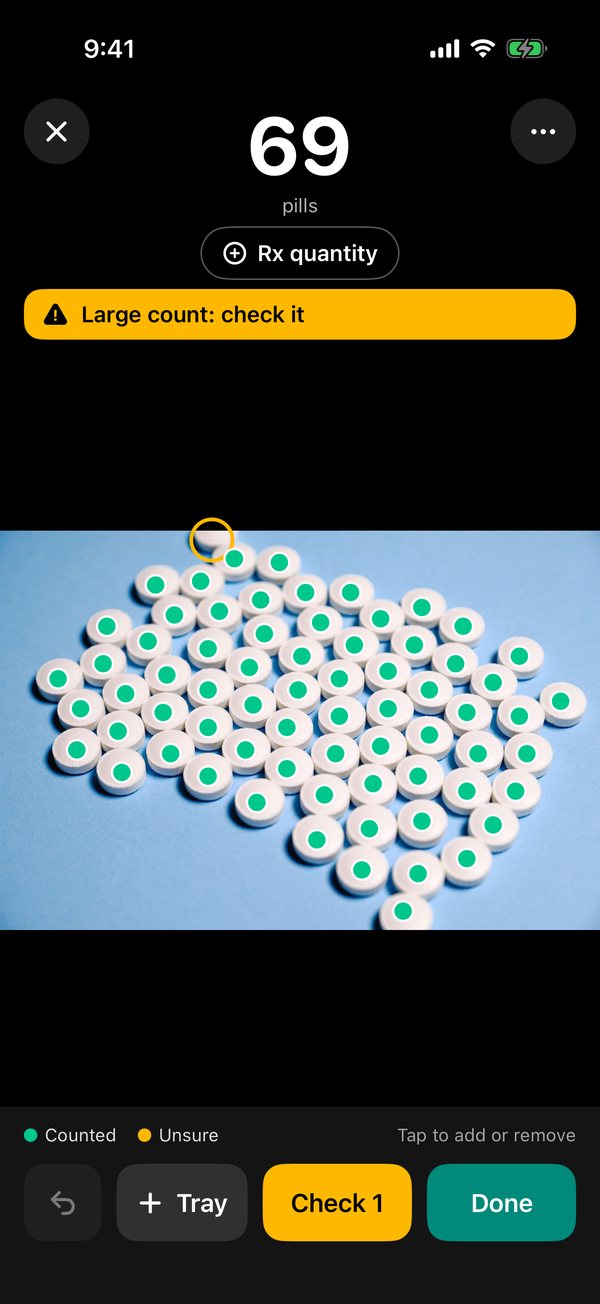
After the count, every pill it counted has a dot. Then:
- Look at the orange rings first. Those are the spots it wasn't sure about: a faint pill, two pills touching, or one cut by the edge.
- Scan the edges and the corners, where pills are most often missed.
- Tap to fix. Tap a missed pill to add a dot; tap a wrong dot to remove it.
If you count by hand too, compare the two numbers. If they agree, you're done. If they don't, spread the pills again and take a fresh photo rather than re-photographing the same heap: a new arrangement gives the counter a genuinely new look.
Where photo counting struggles
- Blister packs. Pop the pills out first. An empty pocket can look like a pill.
- Very small tablets packed edge to edge. Split the count across two trays.
- Long two-colour capsules. Each half can get its own dot. Check any capsule with two dots.
- Scored tablets that have broken. Halves are counted as separate pieces, which may or may not be what you want.
- Pills mid-pour or in a bottle. Only count pills lying still on a flat surface.
How long will the pills last?
Once you have the count, the days supply calculator turns it into days left and a run-out date.
Questions
How many pills can a phone count in one photo?
Trays of 100 or more work when the pills lie in one layer and each tablet is clearly visible. For very small tablets or packed capsules, split the count across two photos.
Should I use the flash?
No. Flash puts bright spots on coated tablets that can hide their edges. Use room light, or move the tray next to a window.
The CountPill iPhone app · coming soon
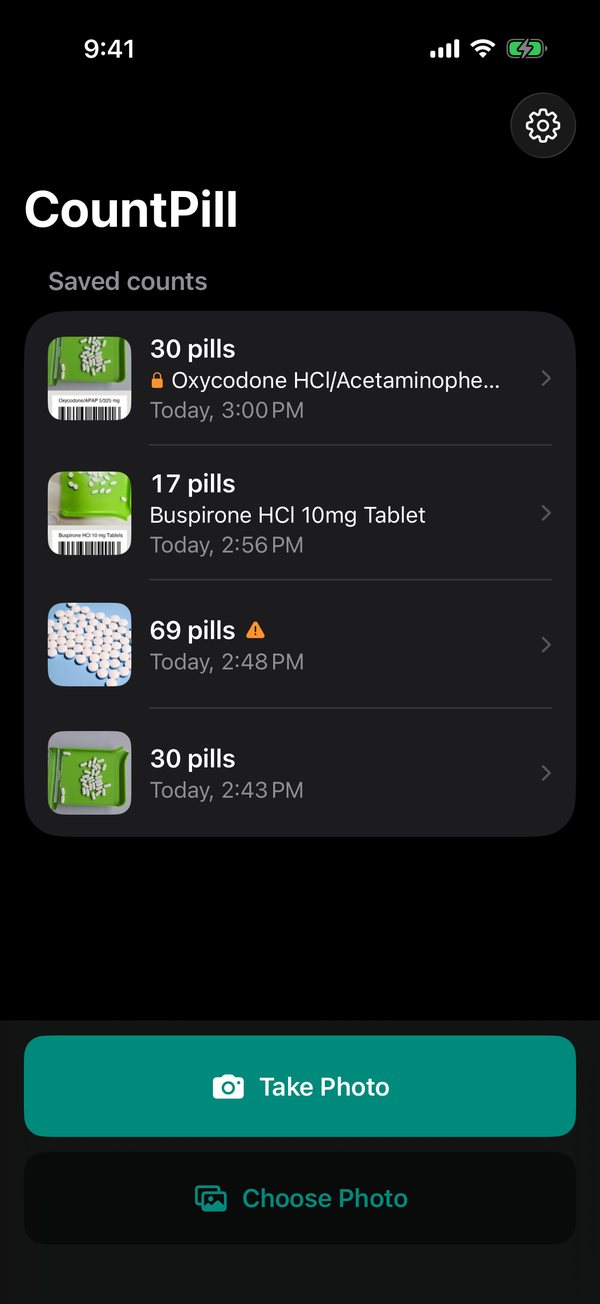
Counting pills every day? The app keeps the record.
- Live count from the camera, with a level so you shoot straight down.
- Rx quantity check: "Need 4 more", "Matches" or "2 too many", as you count.
- Stock-bottle barcode and Rx label reading to catch the wrong bottle.
- Double counts for controlled drugs, with both counts kept.
- History, search, and PDF and CSV reports with photos, lot, expiry and initials.
One email when it's on the App Store. No newsletter. Tell us what you need in the same form.